BlogCompare
No-code builders for a launch page: Circa, Pop Site, alike.page, Blink and Ycode compared
Five ways to ship a launch page with zero repo. Which one is free, which one gives you the code, which one adds a store, and which one an AI builds.
· 3 min read · 7 products
The short answer
Pop Site for a free micro site with real sections, alike.page when the page also sells with zero transaction fees, Circa for a full site with an AI assistant, Blink when you describe the business and want the site, the database and the auth in one go, and Ycode when the code and the CMS should be yours to keep. Loki.Build and Aura are the AI first options when the page has to look designed.
A launch page is one screen, one claim and one button, and a repo is the wrong tool for it on launch week. The board has five builders that ship the page in an afternoon, and they differ on what you own afterwards.
Which one is free?
Pop Site. Free micro sites and link in bio pages with real sections, which is the difference from a link list. For a launch page with a hero, three features and a form, it is enough and it is free. Your Next Store is free too, for the case where the launch is a product with a cart.
Which one sells?
alike.page: storefront, portfolio and links in one page with zero transaction fees. If the launch page is also the checkout for a template or a preset, this is the one, because the fee is what the other builders charge on every sale.
Which one builds a whole site?
Circa, a no-code builder with an AI assistant. It is the pick when the launch page is page one of a site that will grow, and the assistant writes the first draft of every section.
Which one builds the backend too?
Blink. Describe a business, get the site, the database, the auth and the hosting. It is the most ambitious on the list, and the trade is that the whole stack is theirs. For a launch that is a waitlist and a login, that trade is fine.
Which one gives you the code?
Ycode, an open source website builder and CMS in one. The page is yours, the CMS is yours, and when the launch turns into a company the repo already exists. nextbunny is the other exit: build React and Next.js apps visually, export clean code.
Which one looks designed by default?
Loki.Build, an AI builder aimed at pages that pass as hand made, and Aura, an AI landing page builder that exports to HTML and Figma. Both are for the maker whose taste outruns their time.
The hub is no-code on the board, the checklist for the page itself is what a launch page needs before the day, and the design tool question is Figma vs Framer for a landing page.

Free micro sites with real sections
The free answer for a hero, three features and a form. Minutes to live.
Pros
- Free
- Real sections
- Minutes to a page
Cons
- Their hosting
- Grows poorly past a few pages

Storefront, portfolio and links in one page, zero transaction fees
When the launch page is also the checkout. The fee is the difference.
Pros
- Zero transaction fees
- Store built in
- One page
Cons
- One page by design
- Their hosting

A full site with an AI assistant, from Craftwork
Page one of a site that will grow. The assistant drafts every section.
Pros
- AI assistant
- Full site
- Free to start
Cons
- Their hosting
- More than a launch page needs

Describe the business, get the site, database, auth and hosting
The most ambitious. For a waitlist plus a login, the whole stack in one description.
Pros
- Backend included
- Fast for what it produces
- Free tier
Cons
- The stack is theirs
- Harder to leave
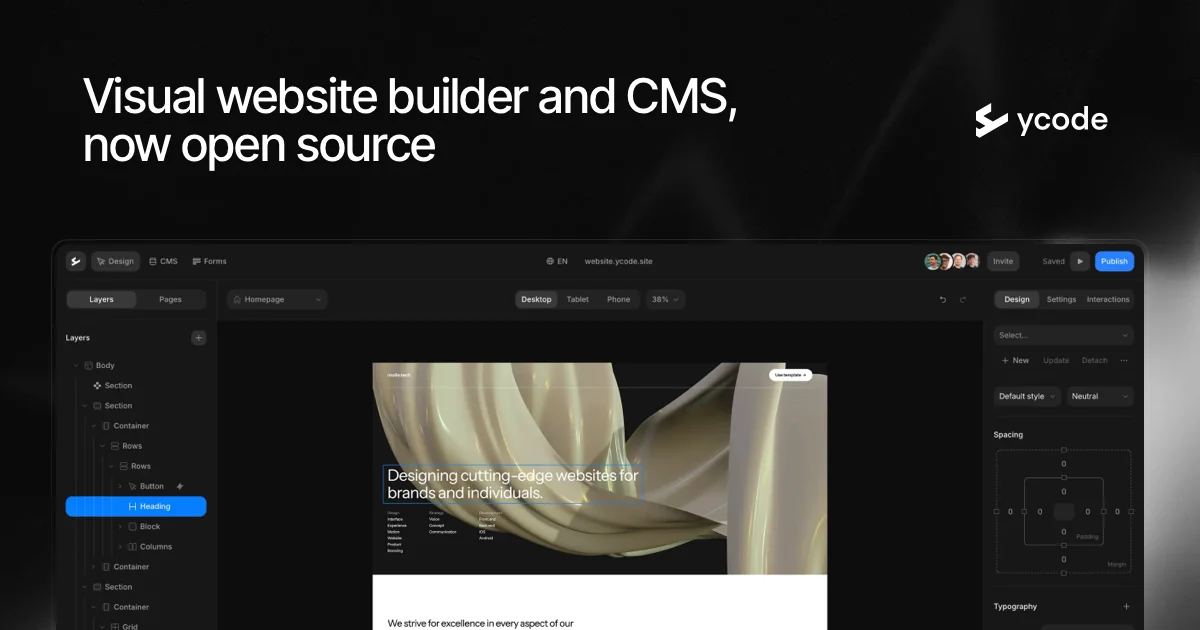
Open source builder and CMS, the code is yours
When the launch turns into a company, the repo already exists.
Pros
- Open source
- CMS included
- Exportable
Cons
- An hour of setup
- Less hand holding

AI pages nobody guesses are AI made
For the maker whose taste outruns their time.
Pros
- Designed by default
- Fast
- Free tier
Cons
- Their hosting
- Less control over structure

AI landing pages that export to HTML and Figma
The AI builder with an exit: HTML and a Figma file.
Pros
- Exports HTML and Figma
- Designed output
- Free tier
Cons
- Landing pages only





Questions
Can I move the page off the builder later?
From Ycode and nextbunny, yes, the code is exported and yours. From Aura, the HTML and a Figma file export. From Pop Site, alike.page, Circa and Blink the page lives on their hosting, so the move is a rebuild. Pick by whether the launch page is a throwaway or page one.
Which one has the fastest setup?
Pop Site, minutes from sign up to a live page with sections. alike.page is close and adds the store. Blink is fast for what it produces, a site plus a database plus auth, and slow only in the sense that the result is bigger. Circa and Ycode reward an hour of setup with a site that grows.
Do I need a custom domain on launch day?
Yes, and every builder here supports one on its free or first paid tier. A launch on a subdomain of the builder reads as a test, and the links you earn on launch day should point at a domain you keep.


