BlogRoundup
Design tools for a solo founder, and when each one stops being right
Eight tools off the board for the person who is designer, developer and marketer this week. Picked by what they output, not by what they look like.
· updated Sep 2, 2026 · 3 min read · 8 products
The short answer
Short answer: a solo founder needs three things and not eight. Somewhere to draw the interface, somewhere to make the site, and a handful of generators for the assets in between. Figma and Framer cover the first two for most people. The rest of this list is the in-between, and every one of them is free.
The design tool problem for a solo founder is not choice, it is time. There are 38 design tools on the Product Rally board and you have about two hours a week for this.
So the list below is sorted by the job, not the category. Each one earns its place by producing a thing you actually need: an interface, a page, a background, a palette you can defend.
How this list was picked
Everything here is on the board, hunted by a member of the invite only club, with the votes printed next to the name. The order is editorial. Nobody paid for a slot, and Pro membership buys knowledge and tooling, never placement.
The filter was simple. Would a founder with no design team use this in the first ninety days, and does it output something finished. A tool that produces a nice canvas and no file did not make it.
What to look at first
Write down the one output you are missing. A landing page, an app screen, a social card, a palette. Most of the difference between these tools is the export, not the canvas, and once you know the output three of these drop out on their own. For colour specifically there is a whole shortlist, color tools.
The other rule: pick free where free is genuinely enough. Six of the eight below cost nothing, and the two that charge are the two you will use every day. If the only output you need is a website, the choice narrows to two tools and we took them apart in Figma vs Framer.
The picks

Where the interface gets drawn, and where your team will end up anyway
The free tier is genuinely enough for one person. The reason to start here rather than somewhere lighter is that every contractor, agency and future hire already knows it, so the file is portable.
Pros
- Free tier covers a solo founder
- Everyone you hire already knows it
- Plugin for nearly every asset problem
Cons
- Slow to learn if you have never used a design tool
- Easy to spend a week making a design system nobody needs yet

The fastest path from a blank page to a live site with a domain on it
One canvas, and the thing you designed is the thing that ships. For a founder that removes the whole handoff step, which is where most first sites die.
Pros
- Design and publish in one place
- CMS included, so a blog is not a separate project
- Templates that do not look like templates
Cons
- Subscription, and it climbs with traffic
- You are on their hosting, moving off means rebuilding

A palette you can defend, generated by hue, saturation and lightness
Most palette tools give you five swatches and no reasoning. This one works in the axes you would use to explain the choice, which matters when somebody asks why.
Pros
- Free with no account and no ads
- Generates full ramps, not five swatches
- Copy out as hex, HSL or CSS variables
Cons
- No contrast checking built in
- No project saving, it is a generator not a workspace

The contrast check that stops you shipping grey on grey
Paste two colors, get the WCAG score. It takes ten seconds and it is the accessibility work that has the highest return of anything on this list.
Pros
- Instant WCAG AA and AAA scores
- Free, no account
- Adjust and re-score in place
Cons
- One pair at a time
- Does not check a whole palette or a real page

Twenty odd SVG generators for the backgrounds and shapes you keep needing
Gradients, patterns, blobs, noise, dividers. Every one of them exports SVG you can drop into a page. This is the tool that replaces an afternoon of fiddling in a design tool.
Pros
- Free, no account, no watermark
- Exports clean SVG
- Covers most of the abstract asset requests a landing page makes
Cons
- Output can look generic if you take the defaults
- So many generators that finding the right one takes a minute

Mockup shots in the browser, for the launch cover and the social crops
You need a cover at 1200 by 630 and two crops. This gets you there in five minutes, which is the right amount of time before you have customers.
Pros
- Free
- Runs in the browser
- Presets already sized for the places you post
Cons
- Fewer scenes than the paid renderers
- No brand kit, you set it up each time

OKLCH ramps and semantic tokens, in a format your code and your agent can read
If you are building the interface yourself, this outputs the token layer rather than a picture of one. OKLCH keeps lightness even across hues, which is the part hand-picked ramps always get wrong.
Pros
- Perceptually even ramps, not eyeballed ones
- Exports semantic tokens, not just swatches
- Machine readable output
Cons
- Assumes you know what a token layer is for
- OKLCH needs a modern browser target
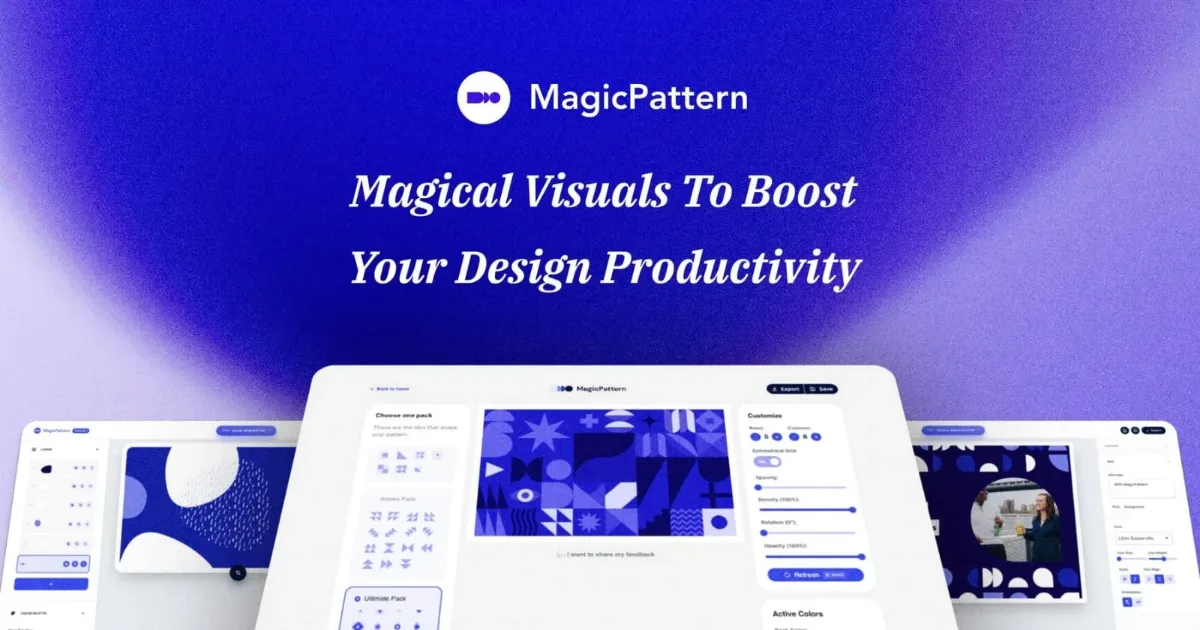
Thirty generators in one place when you would rather not shop around
The paid tier is the only reason this sits last. As a free set of background and pattern generators it covers most of what fffuel does with a tidier interface.
Pros
- Thirty plus tools behind one login
- Consistent interface across all of them
- Good defaults, less fiddling
Cons
- The good exports sit behind the paid tier
- Overlaps heavily with the free tools above




Questions
Do I need Figma if I am not a designer?
Only if you are drawing interfaces. If your product is a website and a signup flow, a site builder gets you there faster and with a real page at the end. Figma earns its place the moment you have more than about five screens to keep consistent.
What is the cheapest usable design stack?
Zero, up to a point. Figma has a free tier that covers a solo founder, and six of the eight tools here are free with no account. The first thing worth paying for is usually the site builder, because it is the one that ships something a customer sees.
How were these ordered?
Editorially, by the job each one does, not by votes. Vote counts are shown so you can see how much of the club agrees, but they do not set the order and no product can buy a place. The full rule is on the board.
Are there more of these on Product Rally?
Yes. The design tools shelf holds 38 published products and the wider board holds over 340. This is a shortlist for one situation, not the catalogue.


